Video Doorbell Without Subscription: What to Check Before You Buy
The parcel was taken at 2:14 in the afternoon. The doorbell noticed, sent an alert, and showed a live picture — but when the owner opened the app that evening, there was nothing to watch. No recording. On many best-selling doorbells, that is the deal: the camera is yours, but the footage of your own front door rents by the month.
It does not have to work that way. A video doorbell without subscription records to storage you own — a memory card, a small hub inside your home, or memory built into the doorbell itself — and the monthly fee is zero. This guide covers the checks that separate a genuinely fee-free doorbell from one that quietly needs a plan.
First, Understand What “No Subscription” Really Means
On subscription-first doorbells, live view is free but history is not. Ring states it plainly: without a plan you can watch real-time video and answer alerts as they happen, but your videos and photos will not be saved. Google’s Nest sits in the middle — the battery doorbell keeps up to three hours of event video history for free, per Google’s support pages, and newer wired models keep up to six hours of short previews. Anything further back needs a paid plan.
A local-storage doorbell flips that arrangement:
- Recordings save to a microSD card, an indoor hub, or built-in memory
- Playback in the app is free, because the footage never had to sit on a company server
- Smart alerts run on the device on the better models, also free
- The trade-off: no polished cloud archive, and a card inside a stolen doorbell goes with it (a hub indoors solves that)
Check 1: Where Does the Video Actually Live?
This is the decision that matters most. Every video doorbell without subscription answers it in one of three honest ways:
Built-in memory. The eufy Video Doorbell E340 records to 8 GB of memory inside the unit — no card to buy, no hub required — and eufy estimates that holds up to 60 days of event clips before the oldest are overwritten. A wired sibling, the eufy S330, uses the same approach with an estimate of around 90 days.
A microSD card you supply. Reolink’s doorbells record to your own card (up to 256 GB on the wired Wi-Fi model), and TP-Link’s Tapo D225 accepts cards up to 512 GB. You choose the size, and a worn card is cheap to replace. Budget for an endurance-rated card if one is not in the box — doorbells rewrite storage constantly.
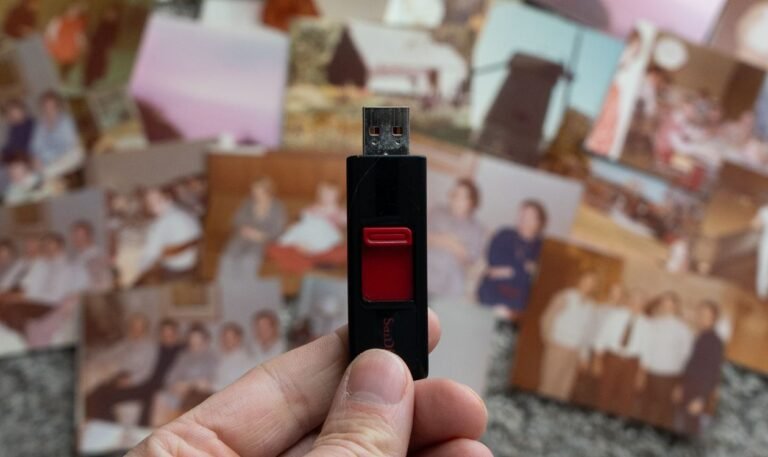
A hub inside the house. Blink takes this route: its doorbells record free only through a Sync Module 2 with a USB flash drive (1–256 GB), or a Sync Module XR with a microSD card. Footage stored indoors survives even if the doorbell is ripped off the wall.
Check 2: The Hub Trap — Read the Box Carefully
Blink provides the sharpest warning here. Many Blink kits ship with a Sync Module Core, and Blink’s own pages state that the Core does not support local storage at all. Buy that kit assuming free recording and you will end up on a paid plan anyway. Before paying, confirm the storage medium, whether it is in the box, and the maximum supported size.
Check 3: Which Smart Alerts Stay Free?
A recording you never hear about is only half useful. On the current eufy, Reolink and Tapo models above, person, vehicle and package detection run on the device and cost nothing. On some rival brands, the doorbell records locally for free but keeps the smartest alerts — telling a person from a swaying tree — behind the subscription.
Check 4: Event Recording or 24/7 Recording?
Almost every battery doorbell, subscription or not, records events only: it wakes when it senses motion, films a clip, and sleeps again to save the battery. Continuous 24/7 recording generally needs wired power — the Tapo D225 offers it when hardwired, and Reolink’s wired and PoE models can record around the clock to local storage. If continuous recording matters to you, plan on wiring.
Check 5: Your Wi-Fi Has to Reach the Front Door
Every doorbell on this page is only as good as the signal at your door frame — often the weakest spot in the house. Before buying, stand at your front door with your phone and check the signal; our guide to fixing slow Wi-Fi at home covers the placement and band fixes that solve most doorbell drop-outs too. Most doorbells use the crowded 2.4 GHz band; some Reolink models add 5 GHz.
Check 6: Battery, Wired, and the Chime Nobody Mentions
Battery models install in minutes but need recharging every few months. Wired models never need charging and unlock continuous recording, if your existing wiring and transformer are up to it. Then there is the chime: a doorbell nobody inside can hear is just a camera. The Tapo D225 includes a plug-in indoor chime in the box; several rivals sell theirs separately. Add any missing chime to the real price before comparing.
Check 7: Do the Three-Year Maths
Here is the worked example most product pages hope you skip — what a video doorbell without subscription actually saves. Ring’s entry plan for a single doorbell, Ring Solo, was listed at $4.99 a month or $49.99 a year on Ring’s US pricing in late 2026. Pay annually for three years and the fees alone come to roughly $150 (monthly billing: closer to $180), on top of the doorbell itself. A local-storage doorbell charges $0 in fees over the same three years; your only extra is a memory card if the model needs one. (Prices vary by country and change — check your local plan page.)
How the Main Routes Compare
| Route | Example models | Storage | Watch out for |
|---|---|---|---|
| Built-in memory | eufy E340, eufy S330 | 8 GB inside the doorbell | Fixed capacity; footage leaves if the unit is stolen |
| microSD card | Reolink doorbells, Tapo D225 | Your card, up to 256–512 GB depending on model | Card usually sold separately; use an endurance card |
| Indoor hub | Blink doorbell + Sync Module 2 / XR | USB drive or card in the hub | Kits with a Sync Module Core cannot record locally |
| Cloud-first (for contrast) | Ring, Google Nest | Company servers | Ring saves nothing without a plan; Nest free history is only 3–6 hours |
Weighing up full cameras instead? Our home security camera buying guide applies the same no-hidden-fees thinking to the rest of the house.
Frequently Asked Questions
Can a video doorbell record with no subscription at all?
Yes — a video doorbell without subscription records perfectly well if it has local storage. Models from eufy, Reolink and Tapo save events to built-in memory or a microSD card, and Blink doorbells record to a USB drive in a Sync Module 2. Playback in their apps is free; what you give up is the cloud archive.
What happens to a Ring doorbell if I never subscribe?
You keep live view, motion alerts and two-way talk, but nothing is recorded. Ring’s own FAQ confirms that without a plan, videos and photos are not saved — an alert you miss in the moment leaves no evidence behind.
How long does local storage last before it fills up?
It depends on capacity and how busy your door is. eufy estimates its 8 GB of built-in memory holds up to about 60 days of event clips on the E340; larger microSD cards stretch that to months. When storage fills, the oldest clips are overwritten automatically.
Is local storage safer than cloud storage?
In one way, yes: your footage stays in your home instead of on a company’s servers. The risk runs the other direction — a card inside a stolen doorbell takes its footage with it. A hub-based system (like Blink’s) keeps the recordings inside the house.
Do I need Wi-Fi for a local-storage doorbell?
For alerts, live view and app playback, yes — the doorbell still connects to your Wi-Fi and phone app like any other. Local storage changes where recordings are kept, not how you watch them.
The Bottom Line
Choosing a video doorbell without subscription comes down to one question: where does the video live? Pick built-in memory for simplicity, a microSD card for control, or an indoor hub to keep the footage away from the door itself. Verify the smart alerts stay free, be honest about battery versus wired power, and run the three-year maths before a cloud-first doorbell’s low headline price talks you into a plan you never wanted.
Start by checking the signal at your front door and the wiring you already have — those two facts narrow the choice fastest.